Black Friday booking coupons need more than a percentage and a memorable code. Decide who can use the offer, which service it applies to and how the final total should behave before announcing it. Then test both an eligible booking and a booking that should not qualify.
This guide concerns discounts you create for your own appointment services. It does not turn Accurate Scheduler’s software-subscription coupon into a coupon for your customers. All example codes and amounts below are illustrative; they are not active offers.
1. Define your black friday booking coupons plan
Write a short offer brief: the intended customer, eligible service, discount type and intended booking period. A consultation offer for new clients is different from a discount for an existing customer’s next visit. Do not combine several goals in one unexplained code.
In Accurate Scheduler, Coupons & Discounts requires a paid plan. Review the coupon documentation and your actual workspace controls. Black Friday booking coupons should match the configured eligibility rather than rely on a social post to explain a different rule.
2. Choose a percentage or fixed amount deliberately
For a sample $80 service, a 20% discount reduces the amount by $16. A fixed $10 discount produces a different result. Use your actual currency and service price when checking the arithmetic; these examples are not recommended prices or margin forecasts.
Test the final booking summary rather than assuming a percentage applies to every extra, deposit or quantity in the same way. Black Friday booking coupons need a documented expected total for the specific workflow your customers use. Review any other pricing rule separately.
3. Separate coupon validity from appointment dates
A customer can place a booking during a promotion for an appointment that happens later. The date on which a coupon is accepted and the date of the service are different concepts. Verify what the actual controls enforce before promising a particular service-date restriction.
For Black Friday booking coupons aimed at selected appointment dates or hours, investigate the supported pricing and service-availability controls. Do not assume a coupon’s date range automatically restricts when the appointment takes place. Confirm the business timezone used by the relevant settings.
4. Check services, customers and minimum amounts
The Accurate Scheduler coupon editor supports eligible services, customers and a minimum booking amount. Its documentation says empty service or customer selections mean all. Review those fields deliberately rather than leaving them empty and assuming the offer is narrow.
Test one eligible service, a different service and an amount below the intended threshold. For US and European customers, explain the business currency and display the resulting total clearly. Black Friday booking coupons should not depend on an unexplained currency conversion or a customer guessing the threshold.
5. Review total and per-customer usage limits
Choose limits that reflect the capacity you can deliver. The documented coupon controls use zero for unlimited uses, so zero is not a safe substitute for “not available.” Check both the overall and per-customer settings before activating the code.
A coupon-use limit is not the same as the number of free appointments in your diary. Several people may book without that coupon or choose another service. Use the capacity worksheet alongside Black Friday booking coupons rather than treating a code as a complete capacity-control system.
6. Test manual entry and automatic application separately
If you intend customers to enter a code, use that exact route in a test booking. If you enable automatic application, test the eligible and ineligible cases again. Check the saved appointment and payment record as well as the on-screen message.
SuperSaaS documents several promotion methods, while Picktime lists coupons within its plan comparison. A similarly named feature does not establish matching rules. Compare a concrete test scenario instead of assuming every coupon implementation behaves alike.
7. Publish the tested offer and retain a correction route
Before sharing Black Friday booking coupons, record the approved wording, code, expected total and customer contact route. Explain relevant restrictions before confirmation. Do not invent an expiry date, claim that every fee is reduced or promise renewal terms for an unrelated subscription.
Use the offer-page copy guide, checkout tests and test-booking checklist. Only advertise the result you verified. A working coupon simplifies redemption; it does not guarantee demand or profitable sales.
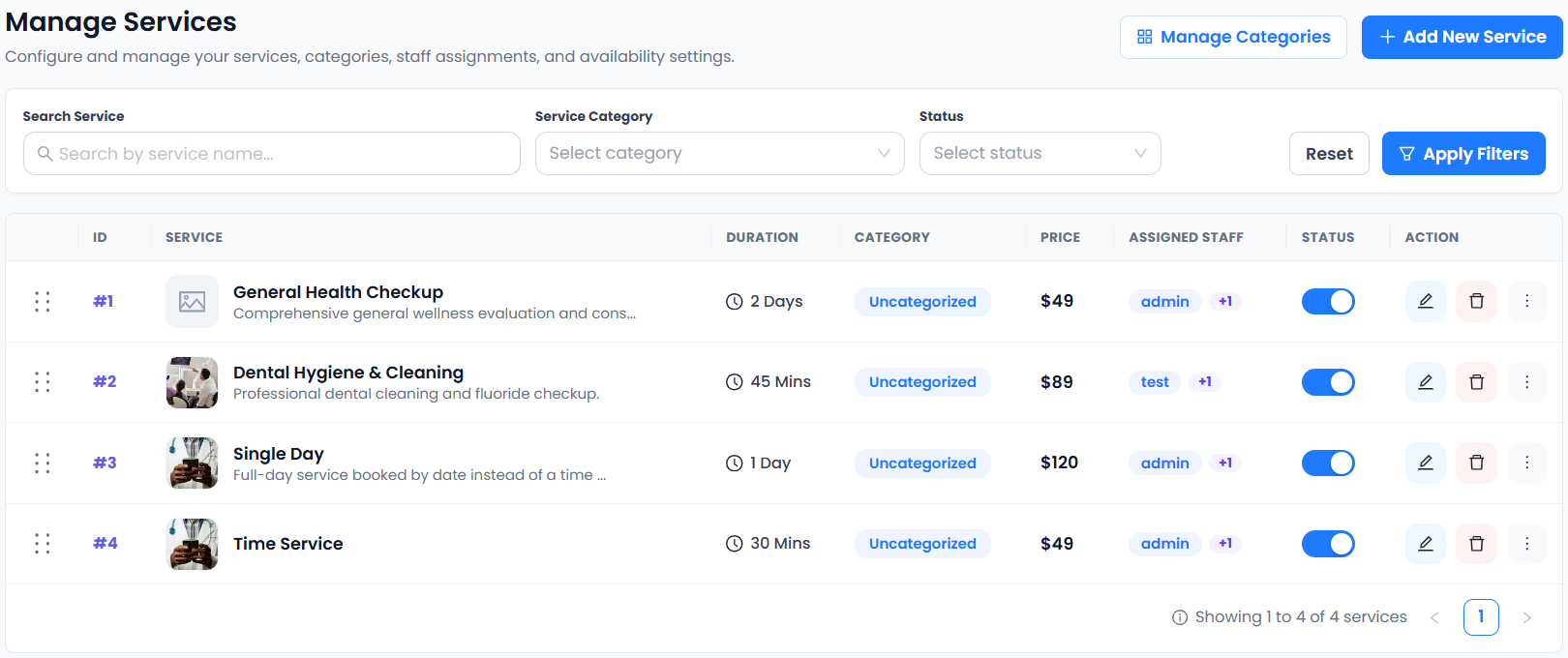
Set up your next step: Accurate Scheduler is designed for service-based businesses. Review coupon eligibility and service prices in the live demos, then compare the current plans and included features before choosing your setup.
Software subscription offer: As checked on October 31, 2026, Accurate Scheduler’s pricing page advertises 50% off eligible paid monthly and yearly plans with code FSBFCM2026. For example, the regular Starter price is $3/month or $30/year; the advertised eligible-period price is $1.50/month or $15/year. Enter the code at checkout and check the final eligibility, renewal and combination terms. This discounts the scheduling subscription, not the appointments your customers buy.