
More time for a personal touch.
Help clients choose a treatment, find their preferred professional and book a time. Keep your service menu and team availability clear, even when you are busy with a client.
Compare appointment limits and plan features →
Keep the booking desk from running your day.
A busy phone during treatments
Give clients a self-service booking route while your hands are occupied.
Services with different durations
Give a quick appointment and a longer treatment their own service times.
Last-minute changes
Let clients manage cancellations and use paid-plan rescheduling to choose another time.
From the first consultation to the next treatment.
Treatment consultations
Create a consultation service so new clients can discuss what they need.
Individual treatments
Organize services by what clients actually recognize, with clear durations and prices.
Preferred professionals
Let clients choose staff with availability for their selected service.
Weekday specials and weekend rates
Use Price Rules for quieter weekday appointments, premium weekends or selected therapists without duplicating the service.
A service menu your clients can understand.
Manage services, staff assignments and availability together. Add buffer time when you need a gap between treatments.
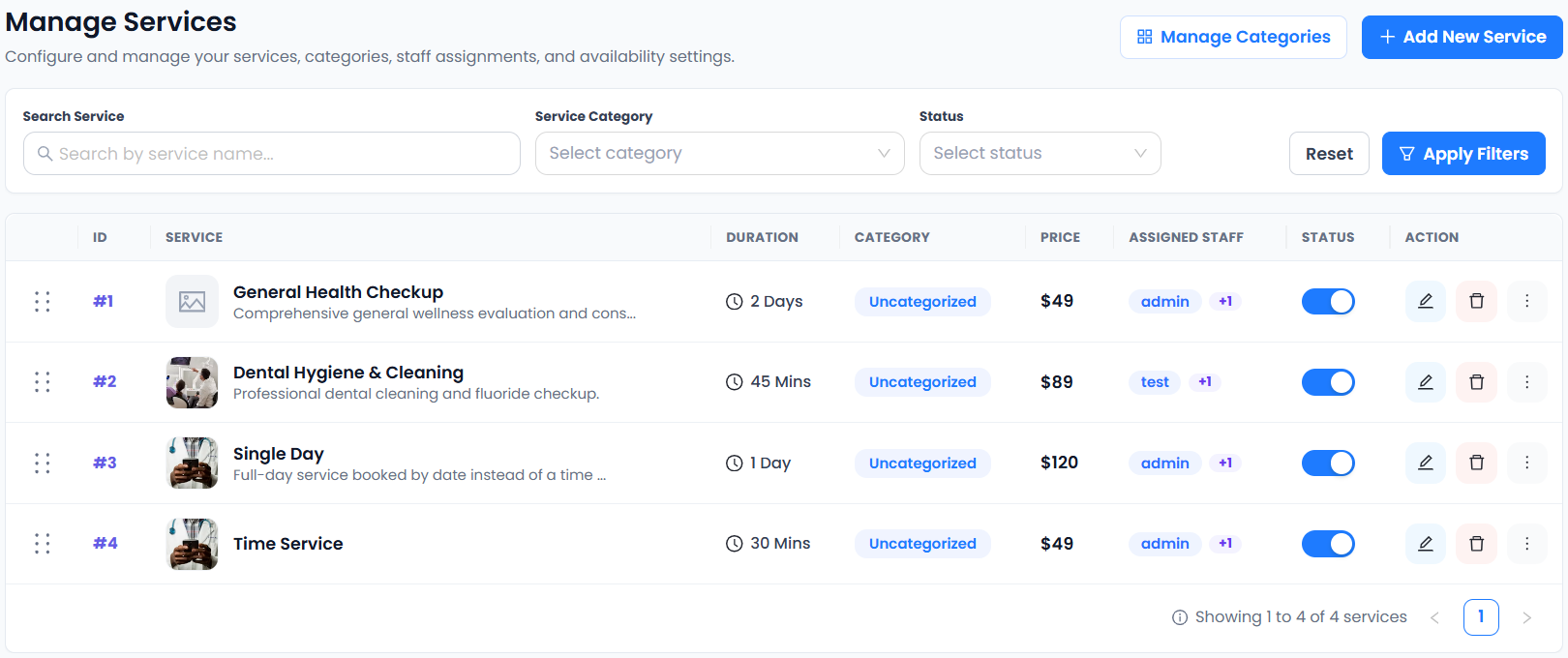
The real service-management screen shows the shared product controls. The example workspace is not a salon-specific service menu. See which plan fits your workflow.
From choosing a service to making a booking.
- 01Choose a service
- 02Choose staff
- 03Choose a date & time
- 04Enter details & confirm
Make the next visit easier to arrange.
Keep appointment administration out of the treatment room. Clear services and self-service booking help clients find a suitable time without waiting for you to answer.
Connect the tools your day depends on.



Availability varies by plan. Explore integrations →
Scheduling for beauty & wellness: a few things to know.
Can I create a service for each treatment?
Yes. Unlimited Services is included in Free. Use names, durations and prices that help clients distinguish treatments before they book.
Can clients choose their stylist or therapist?
The booking flow includes choosing staff. Unlimited Staff Members, staff shifts and holidays are included in Free. Assign the appropriate staff to each service.
Can I leave a gap for cleaning and preparation?
Buffer Time is included in paid plans. Plan an appropriate gap between services and test availability before publishing your booking page.
Can I accept payment online?
PayPal Payments is included in Free. Stripe Payments is included in paid plans. Confirm your provider setup, fees and business payment terms before accepting bookings.
Can I use Price Rules on Free?
Yes. Price Rules is included in Free and all paid plans. Configure it for each service and save the service before testing a booking.
Can I send salon and spa updates on WhatsApp?
Yes. Configure approved Meta or Twilio templates for appointment approvals, cancellations and rescheduling, separately for customers and staff. WhatsApp Notifications is included in Free and all paid plans; messaging provider charges may apply.
Can I offer weekend prices and multilingual booking?
Use basic weekday or advanced Price Rules for weekend and peak-hour service prices. 35+ Languages supports multilingual booking. Both are included in Free and Paid; configure and test each service before sharing it.
Can I add salon booking to my WordPress website?
Yes. Use the shared booking widget in a WordPress custom-code area that permits the generated script. Read the WordPress booking setup page and test your saved service page; no native WordPress plugin installation is required.