
Organize every client conversation.
Keep consultations, reviews and client meetings organized alongside delivery work. Give each service a clear booking path and help clients find the right person.
Compare appointment limits and plan features →
Reduce the coordination around every engagement.
The wrong meeting type
Use distinct services so a new enquiry does not look like an in-depth client review.
Team availability changes
Set shifts and holidays to keep bookable times aligned with the people doing the work.
Missing meeting context
Use paid-plan custom fields to ask a focused question before a client meeting.
Make every client conversation easier to arrange.
Initial enquiries
Offer a first conversation with a clear scope and duration.
Project reviews
Give existing clients an appointment type for reviewing progress or next steps.
Specialist consultations
Assign a service to the relevant professionals and show their availability.
Bring clarity to your client schedule.
Organize staff and services first. Add two-way calendar sync and scheduled notifications when your team needs a more connected workflow.
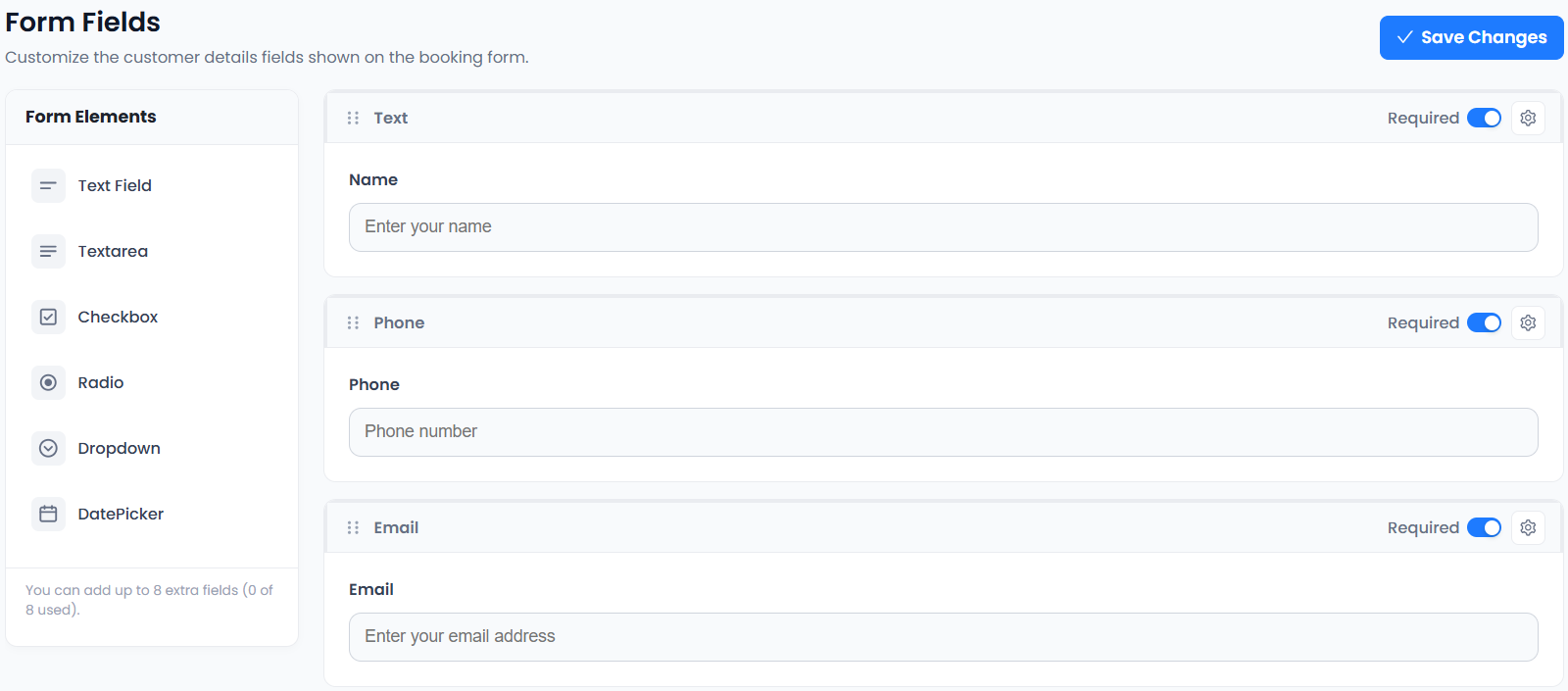
The supplied custom-fields screen shows the real booking-form editor. Use it for appointment context, not confidential case files. See which plan fits your workflow.
From choosing a service to making a booking.
- 01Choose a service
- 02Choose staff
- 03Choose a date & time
- 04Enter details & confirm
Keep your team focused on client work.
A defined appointment type and a consistent booking route help set expectations before the meeting. Leave detailed client records in the systems designed for your profession.
Connect the tools your day depends on.


Availability varies by plan. Explore integrations →
Scheduling for professional services: a few things to know.
Can clients book with a specific professional?
The booking journey includes choosing staff. Unlimited staff, services, shifts and holidays are included in Free. Assign the relevant professionals to each service.
Can I ask what the meeting is about?
Yes. Custom Fields is included in paid plans. Ask for brief, practical meeting context and avoid requesting confidential documents through a general booking form.
Can I connect an existing Google Calendar?
Google Calendar Two-Way Sync is included in paid plans. Check the connected calendars and test availability before sharing your booking page.
Can I charge for specialist appointments?
PayPal Payments is included in Free, and Stripe Payments is included in paid plans. Describe the scope and price of the consultation before clients confirm.