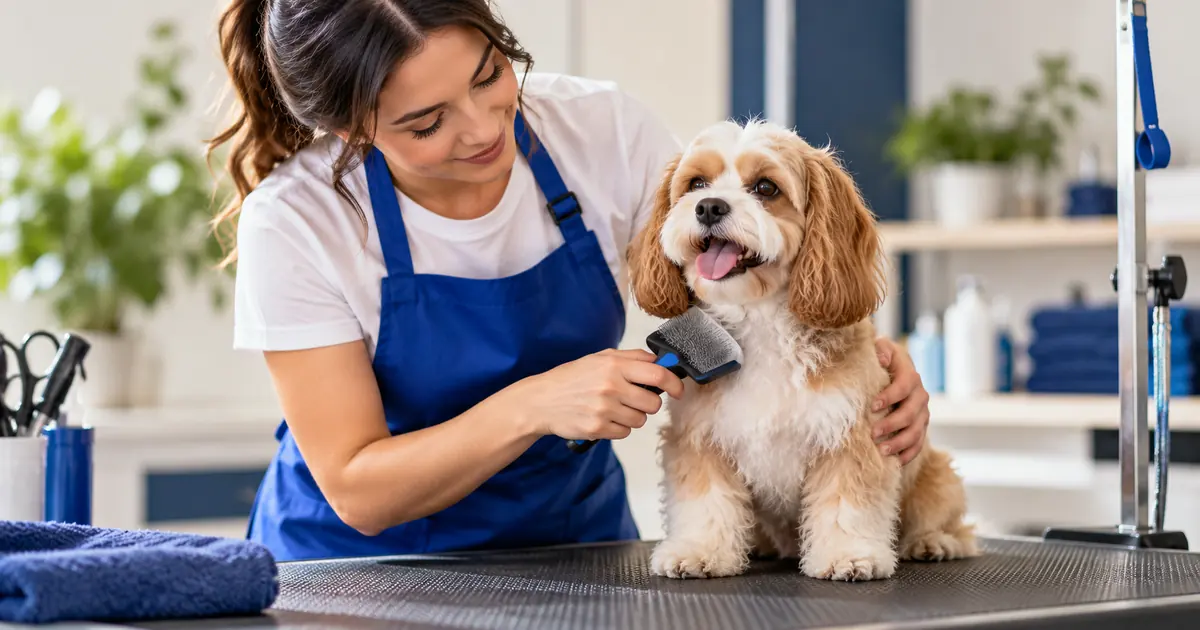
Pet grooming booking software should match the work behind each appointment, including service length, staff availability and the information needed before arrival. Booking software for pet groomers should help arrange the right amount of time for the right pet, not simply place an owner’s name on a calendar. Coat condition, service type, groomer capability and collection arrangements can all affect the working day. Mobile groomers also need to consider travel between appointments.
The best choice depends on whether you need a basic appointment layer or a specialist pet-care system. This guide explains that difference, compares several candidates and gives you practical tests for salon and mobile workflows.
Our approach: Accurate Scheduler publishes this guide and is included as a general booking option. Provider information was checked on October 7, 2026 using official pages. Recommendations are based on workflow fit, not independent hands-on rankings or claims about animal care outcomes.
In this article
Pet grooming booking software: evaluate the booking workflow
Describe what staff need before accepting a booking. A new pet may need a different assessment process from a returning pet with a known service history. The duration may depend on factors that the owner cannot reliably estimate from a generic menu.
Decide which services can be booked directly and which should begin with a consultation or request. A booking system should not force uncertain work into a fixed time just to keep the page simple. A clear review process is better than an appointment that must be corrected later.
Separate scheduling information from specialist care records. If your business needs vaccination records, detailed behavior notes, consent documentation or other pet-specific information, put those requirements on the shortlist explicitly. A customer profile is not automatically a complete pet record.
Booking software for pet groomers: options by grooming model
| Business model | Candidate to investigate | Essential test |
|---|---|---|
| Pet grooming with detailed operational records | Gingr | Owner-and-pet relationship, service history and staff workflow |
| Mobile grooming with geographic constraints | MoeGo | Service area and routing behavior in the relevant plan |
| Straightforward staff-and-service appointments | Accurate Scheduler | Service choice, duration, staff assignment and exceptions |
| Small appointment operation considering checkout tools | Square Appointments | Local payment fit and how pet details are handled |
Gingr for a specialist pet-care workflow
Gingr’s grooming product page describes groomer calendars, pet profiles, recurring reservations and customer communication tools. It belongs on a shortlist when the business needs pet-specific administration beyond the appointment itself.
Ask for a demonstration involving one owner with two pets. Check how staff distinguish the animals, their service needs and their appointment histories. A general customer record can be insufficient if the business needs to track those details separately.
The potential advantage is a more specialized operating model. The tradeoff is that a broader system needs careful setup and staff training. Confirm which functions are included in the proposed package and how the team will use them during a busy day.
MoeGo for mobile and geographically constrained work
MoeGo’s mobile booking setup documentation describes service-area and routing-related controls. It is a relevant candidate when the location of one booking affects whether the next appointment is practical.
Test an actual route pattern with representative addresses, using approved test data. Ask the provider to show how availability responds to travel and service-area rules. A map display alone is not proof that the schedule accounts for travel in the way your business needs.
The tradeoff is configuration accuracy. Geographic rules still depend on the service areas and assumptions you set. Evaluate the process under a realistic working day, including a late change, rather than relying on an idealized route with evenly spaced appointments.
Accurate Scheduler for the appointment layer
Accurate Scheduler is a SaaS appointment booking platform. Its current Free configuration includes online booking, unlimited staff and services, staff shifts and holidays, customer booking access, payment options and booking add-ons, subject to 60 appointments and up to 100 customers. The Free allowance is not labelled monthly. Google Calendar, Google Meet, Zoom and 50+ industry themes are Paid features. Review the current plan comparison and test your required workflow.
It can be considered when the main requirement is service appointments and staff availability. It should not be assumed to provide pet medical records, vaccination management, automatic route optimization or specialist kennel operations. Confirm those separately if the business depends on them.
A useful trial starts with a familiar returning-pet service and a new-pet inquiry. Check whether the customer understands which route to choose and whether staff receive enough scheduling context to prepare without collecting unnecessary sensitive information.
Square Appointments when checkout is part of the decision
Square’s Appointments pricing and product information provide a starting point for evaluating booking alongside payment operations. The linked offer is for the US; businesses elsewhere should review local availability and commercial terms.
Ask how your proposed configuration distinguishes pet information from owner contact details. A checkout-oriented appointment system may fit a simple workflow, but it should not be assumed to replace a specialist pet-care record system.
The practical decision is whether the complete visit can be managed clearly: booking, arrival, service completion, collection and payment. Test those handoffs rather than selecting the tool solely because it accepts a familiar payment method.
Build a service menu that reduces guessing
Use clear service descriptions and explain when an appointment requires staff review. If size, coat condition or previous service history affects duration, tell the owner how to choose or contact the business. Do not publish a fixed promise the team cannot reliably deliver.
Avoid a long list of nearly identical choices. A customer may not know the professional terminology behind your service categories. Ask a person unfamiliar with grooming to select a service for a described situation and observe where they hesitate.
Keep the price explanation consistent with the booking process. If the final amount requires assessment, state that clearly. A provisional service choice should not look like an unconditional fixed-price agreement simply because the booking page has a price field.
Protect time for preparation, cleaning and handover
The occupied time is not always the hands-on grooming duration. Include the operational work your team needs around the appointment. Use actual observations to set those allowances rather than copying a standard buffer from another business.
Test two consecutive bookings and inspect the staff schedule. If a buffer is configured, verify that the public page reflects the intended availability. A visual gap on the staff calendar is not enough if customers can still reserve it through another route.
For collection arrangements, make the customer’s expectation explicit. An appointment start time and a pickup window are different pieces of information. Use the supported communication process to avoid owners interpreting one as the other.
Treat mobile grooming as a separate scheduling problem
A mobile groomer’s availability depends on location as well as time. A sequence of individually valid appointments may be impossible to deliver if the travel between them is ignored. A fixed buffer can be a planning tool, but it is not the same as route optimization.
Ask a candidate provider to demonstrate an appointment outside the service area, a long trip between jobs and a last-minute change. Record how each scenario affects the schedule and what staff must handle manually.
If you choose a general appointment tool, define the manual geographic control clearly. For example, you might restrict certain days to particular areas through your operating process. Verify that the customer-facing offer supports that arrangement and does not promise arbitrary availability everywhere.
Test households with more than one pet
One owner may book several pets with different services or durations. Decide whether the business needs separate appointments, a combined appointment or staff review. The correct approach depends on your operating process and the product’s supported model.
Do not assume that a quantity field creates distinct pet records. A quantity can represent a count without identifying each animal or its requirements. If individual records matter, test that relationship explicitly.
Also test a change affecting only one pet. Staff should understand which appointment or service is being changed, and the customer should receive an unambiguous result. This is a useful way to expose limitations that a single-pet demo may miss.
Review communication and customer changes
Confirmations should state the service, date, time, location or mobile arrangement and the supported change route. Include preparation or arrival information that affects the appointment, but keep the essential details easy to find.
Test cancellation and rescheduling from the customer’s perspective. Check whether the original slot becomes available and whether staff receive the correct information. If payment was involved, verify that process separately instead of assuming the calendar action handles it.
For reducing missed visits, use a measured process with clear reminders and accessible changes. Our no-show guide explains how to investigate reasons and improve the journey without claiming a guaranteed attendance result.
Compare the whole cost and the data transition
Record subscription charges, staff or location costs, required modules, payment fees and optional communication costs. Compare the same business volume and region. A specialist platform may cost more than a basic calendar while replacing other administrative work; assess that difference honestly.
Before migrating, identify which owner and pet records you need to retain and whether the current system can export them. Do not assume an appointment import includes notes, attachments or historical payment information. Reconcile a sample before moving the whole operation.
Pilot with a small group of returning customers and one staff member. Record incorrect service choices, timing corrections and customer questions. Use those observations to improve the setup before publishing the new link everywhere.
Test a first visit with incomplete information
In a hypothetical first visit, an owner chooses a service but is unsure about the time required. Decide whether staff should review the request before confirming it, and make that expectation visible to the owner. Ask a colleague to explain what the customer receives while a review is pending.
Dog grooming scheduling software should fit the information your team needs, while pet appointment booking instructions remain short enough to understand. Keep sensitive or specialist care details in the appropriate record system. The booking setup guide helps structure the customer journey; the manual booking comparison helps identify requests that need a staff conversation.
Frequently asked questions
Is ordinary appointment software enough for pet grooming?
It can be for a simple booking workflow, provided specialist records and operational needs are handled appropriately. A business relying on detailed pet histories, recurring care processes or routing should evaluate specialist software directly.
Can owners choose their own service duration?
Only if that is a reliable part of your process. If owners cannot accurately judge the required work, use clear service categories or a review route. The booking journey should not depend on an uninformed guess.
What is the most important mobile grooming test?
Test whether location constraints affect available appointments in the way the business requires. Include a difficult route and a change, not just nearby addresses. Verify what is automated and what remains the operator’s responsibility.
Keep an acceptance record for your essential bookings
Choose a representative appointment and record what the customer sees, what the staff member receives and what occupies the calendar. The record should distinguish a successful reservation from a payment attempt, a message sent or a slot selected. Those outcomes are not interchangeable.
For this business, test a service requiring a longer appointment, a customer correcting pet information and staff availability for the selected grooming service. Mark each result as passed, failed or not yet verified. Keep the configuration used for the test so a later service or staff change can be checked against the same scenario.
Ask someone who did not set up the system to complete the customer journey. Record any clarification they need instead of giving them instructions immediately. If the trial produces a mistake, review the service description and settings before deciding whether the limitation belongs to the product or the configuration.
A useful acceptance record contains the appointment type, expected duration, selected staff, customer-change route and notification outcome. It does not require a vendor ranking or a predicted saving. Repeat the unresolved scenarios before directing customers to the new booking route.
Choose the right level of system
If your main challenge is arranging services and staff time, compare Accurate Scheduler’s booking features with your requirements. Keep specialist pet and routing needs explicit so the chosen system fits the business you run.
Related reading: pet grooming.