An online booking system for small businesses should turn a customer’s intention into a clear, manageable appointment. The software is only one part of that process. Your service descriptions, working hours, payment expectations and change policy determine whether the appointment makes sense for both the customer and the team.
A good launch does not begin by adding every possible feature. It begins with one service that a customer can understand, a reliable schedule and a complete test from booking through attendance. This guide walks through that setup and explains where small businesses most often create unnecessary work.
In this article
What an online booking system for small businesses does
At its simplest, a booking system presents available appointment choices, collects the information needed to reserve one and records the result. More advanced configurations may coordinate staff, payments, forms, notifications or external calendars. Which of those functions you need depends on how the business delivers its service.
Do not confuse a contact form with a confirmed booking. A form can collect a preferred time without reserving it. If staff must review the request, tell customers that it is a request and explain when they will receive a decision. Ambiguous confirmation language creates frustration even when the software is working as configured.
Similarly, a visible calendar is not necessarily a full booking system. A customer should know what they are reserving, how long it will take, who will deliver it and what happens next. The calendar supplies a time; the rest of the journey supplies meaning.
Map the customer journey before configuring anything
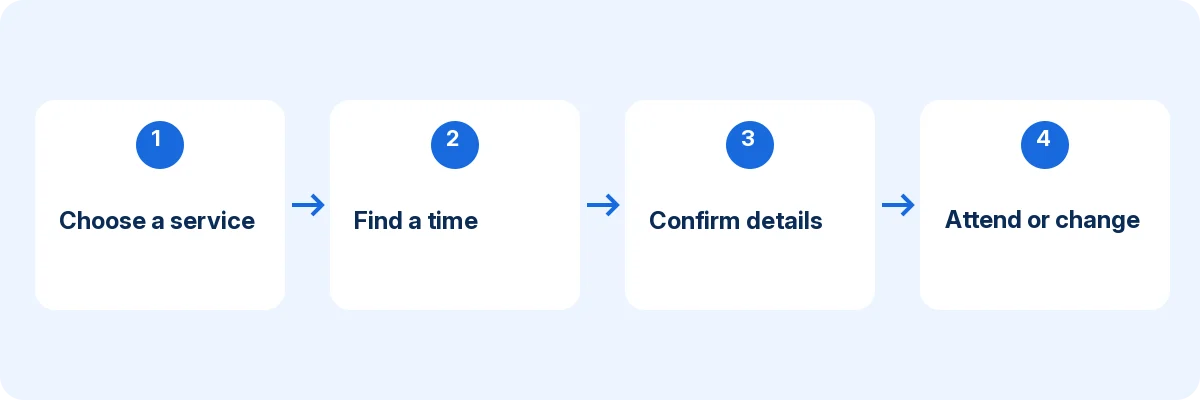
Write five stages on a page: discover, choose, reserve, prepare and attend. Under each stage, list the question the customer needs answered. Discovery asks whether the business is relevant. Choice asks which service fits. Reservation asks whether the timing and price are acceptable. Preparation asks what to bring or complete. Attendance asks where to go or how to join.
Now map the staff side. Who reviews the booking? Where is it recorded? What information is necessary before the appointment? Who handles a change? This exercise often reveals that the biggest problem is an unclear handoff rather than a missing software feature.
For example, a consultation business might need a short question about the topic before a paid session. It probably does not need a long questionnaire before an introductory call. Asking too much too early increases effort without improving the appointment.
Define a service menu people can understand
Use names that describe the customer’s purchase. “Initial consultation, 30 minutes” is more informative than an internal department code. Keep similar services distinguishable and explain any condition that changes the duration or price.
Start with a small menu. If two services differ only in an internal administrative detail, consider whether customers need separate choices. If they differ in eligibility, preparation or required staff, the distinction may be important enough to show clearly.
For each service, record the following:
| Field | Question it should answer |
|---|---|
| Name | What am I booking? |
| Description | Who is this suitable for? |
| Duration | How much customer time should I allow? |
| Availability | When and with whom can it happen? |
| Price or payment explanation | What will I pay, and when? |
| Preparation | What should I do before attending? |
| Change route | How do I cancel or request another time? |
Treat this table as an editorial checklist, not a claim that every product has identically named fields. Put the information in the supported part of your chosen booking journey and verify what the customer actually sees.
Set availability around the work, not just opening hours
A business can be open without every staff member being available. Build staff shifts, breaks, holidays and service assignments first. Then inspect the public booking page for ordinary days and exceptions.
Include work that happens before or after the appointment. Preparation, notes, cleaning and travel can occupy time even when the customer is not present. If the system supports buffers, test their effect; otherwise, choose a scheduling process that still protects that time.
Avoid making every gap bookable on launch day. A limited pilot gives staff space to handle unexpected questions and correct the setup. Expand availability after confirming that the team can deliver the promised schedule without relying on constant manual intervention.
Choose the right information to collect
Collect only information that helps arrange or deliver the appointment. A name and contact route may be enough for a basic booking. A service-specific question can be useful when it changes preparation, but every required field should have a reason.
Use clear labels and explain unfamiliar terms. Test error messages by leaving a required field empty or entering an invalid format. A form that looks simple when completed correctly may become confusing when a customer makes an ordinary mistake.
Separate booking administration from sensitive professional records. A general appointment form should not become an improvised repository for confidential case histories. Choose an appropriate process for information that needs stronger access controls and specialist handling.
Make payment expectations explicit
Customers should know whether they are paying during booking, paying on arrival or submitting a request that will be priced later. Do not let a generic success message imply that payment has been received when the system has only recorded an appointment.
Test the supported payment flow using the provider’s test environment where available. Check successful, failed and interrupted attempts. Compare the appointment record with the payment record rather than assuming that one proves the other.
For international customers, check the displayed currency and the payment provider’s country support. A booking page written in English does not establish that every payment method works in every English-speaking market. Explain the actual arrangement clearly without promising unsupported currencies or gateways.
Keep changes understandable
A booking is not complete operationally until the business can handle a change. Write a short cancellation and rescheduling explanation in plain language. Identify the supported self-service route and a fallback contact method for exceptions.
Test what happens to the old time when a customer changes an appointment. Does it become available again? Do staff see the new time? Are notifications consistent? The exact behavior depends on the product and configuration, so a real test is more useful than a feature label.
A customer who cannot attend should not need to guess whether to reply to a message, log in or call. Making the route obvious can help the business learn about changes earlier. Our no-show guide explains how clearer changes fit into a wider attendance process.
Connect calendars deliberately
Choose which calendar or system is authoritative for appointments. If you connect an external calendar, document which account owns the connection and which calendars are checked for conflicts. A staff member leaving the business should not unexpectedly break a connection nobody else understands.
Test both directions that matter: a new appointment reaching the intended calendar and an external busy event affecting availability. Also test changes, cancellations and timezone display. Do not assume that “two-way sync” means every field or historical event is mirrored.
Google Calendar appointment schedules and a booking platform’s Google integration are different approaches. The first creates a booking route within Google; the second connects a separate booking system. Use our Google Calendar guide to decide which model fits.
Launch in a controlled sequence
- Configure one representative service and the staff who deliver it.
- Complete a booking from a phone as an external customer.
- Inspect the staff record, calendar, payment result and customer instructions.
- Test a holiday, occupied time and appointment change.
- Ask someone unfamiliar with the setup to repeat the journey.
- Share the link with a limited audience before replacing every existing route.
Keep a fallback contact route during the pilot. That does not mean staff should manually repair every booking forever. It gives customers a clear way to report a problem while the team identifies whether the cause is content, configuration or a missing capability.
Once the process works, update your website buttons, service pages, email signatures and appropriate business profiles. Use one consistent booking destination or clearly named service-specific destinations. A collection of obsolete links can undo an otherwise careful launch.
Measure a small number of useful outcomes
Track completed bookings, appointments requiring correction, customer questions and missed appointments. If you have reliable traffic measurement, compare booking-page visits with completed reservations. Record definitions so the numbers remain comparable over time.
Do not interpret more bookings as proof of more profit. Service mix, attendance, capacity and delivery costs matter. A shorter administrative process can still be valuable, but estimate its benefit using observed work rather than a vendor’s generic time-saving claim.
For a practical growth framework, see how online booking can support a small business. The aim is to improve the customer journey and operating process together, not to fill every minute regardless of service quality.
Choosing a system that fits
Accurate Scheduler is a SaaS appointment booking platform. Its current Free configuration includes online booking, unlimited staff and services, staff shifts and holidays, customer booking access, payment options and booking add-ons, subject to 60 appointments and up to 100 customers. The Free allowance is not labelled monthly. Google Calendar, Google Meet, Zoom and 50+ industry themes are Paid features. Review the current plan comparison and test your required workflow.
Use the feature comparison and current plans to check your requirements. If your business needs specialist records, inventory, resource coordination or another unlisted function, verify it separately. Do not let a general appointment tool inherit responsibilities it has not demonstrated.
Give each launch check a clear owner
For a hypothetical repair consultation, assign one person to the service description and another to the weekly availability review. Write down who handles a booking when the customer chooses the wrong service. A short ownership list makes small business booking system maintenance less dependent on memory.
Before your online booking setup goes live, ask someone unfamiliar with the business to read the confirmation and describe their next step. If they cannot identify where to go or how to make a change, revise the instructions. Use the 24/7 launch checklist and manual booking comparison to keep customer access and staff workload in balance.
Frequently asked questions
Do I need a new website?
Not necessarily. A clear booking link from your existing site can be enough to start. Embedding and customization depend on the product, but the quality of the customer journey matters more than whether every step stays on the same page.
Can I still accept bookings by phone?
Yes, if staff enter them into the authoritative schedule promptly and follow the same availability rules. The risk comes from maintaining an independent paper or spreadsheet calendar that online customers cannot see.
Does 24/7 booking mean I must be available all the time?
No. Customers can choose from your configured service hours whenever they visit. Our 24/7 setup guide explains how to keep booking access separate from working hours.
When evaluating calendar-based booking, compare the supported appointment model rather than assuming every calendar event is bookable. Google explains the distinction in its official appointment schedules overview.
Build one dependable booking journey
Start with the appointment your business handles most often. Configure it, test the exceptions and make the customer instructions clear. Accurate Scheduler can be evaluated against that real workflow before you expand the service menu.