

Cleaning estimate booking gives a potential customer a defined appointment to discuss or assess the work. It is not automatically a confirmed cleaning job or a final quotation. Make that distinction visible before the customer chooses a date.
This guide is for residential and small commercial cleaning businesses in the US, UK and Europe. It focuses on the appointment workflow. Route optimization, dispatch, site assessment and the final work agreement remain separate responsibilities unless you have verified dedicated tools for them.
1. Describe what the estimate covers
Explain whether the appointment is a phone discussion, a video call or a visit to the property. State its purpose and any fee. Avoid a generic “Book now” label that leaves customers expecting the cleaning itself to happen at that time.
A cleaning estimate booking description could say: “Arrange a property discussion so we can review the requested work and explain the next step. This reserves an estimate appointment, not a cleaning service.” Adapt the wording to your actual process rather than copying a promise you cannot deliver.
2. Check the property location before committing
Decide how you will confirm that the property lies within your real service area. A typed address in a booking form does not establish that the scheduling software has checked travel distance, parking or job suitability automatically.
For eligible local businesses, Google provides business-representation guidance. Keep addresses and service areas accurate. Cleaning estimate booking should not imply offices or local teams in US or European cities where you do not operate. Provide a contact route when a customer is unsure whether you cover the property.
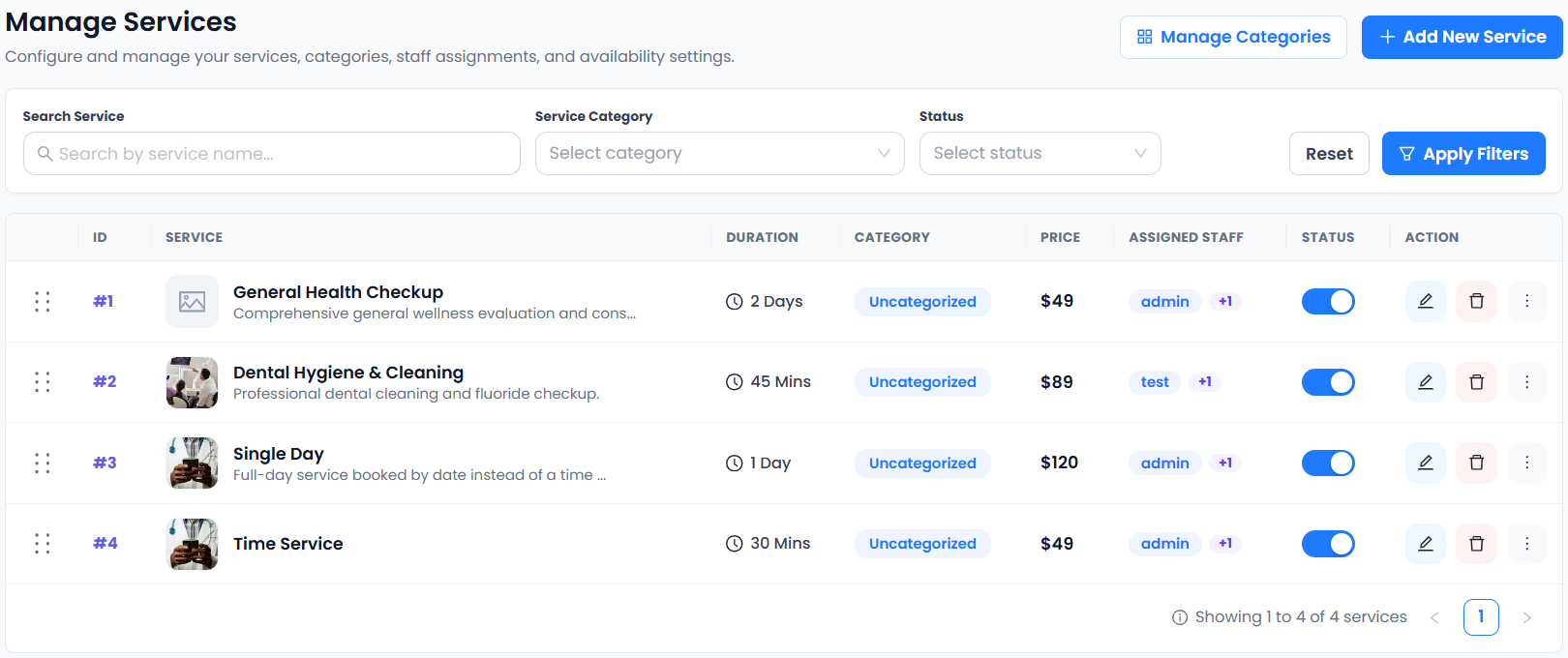
3. Collect a short property brief
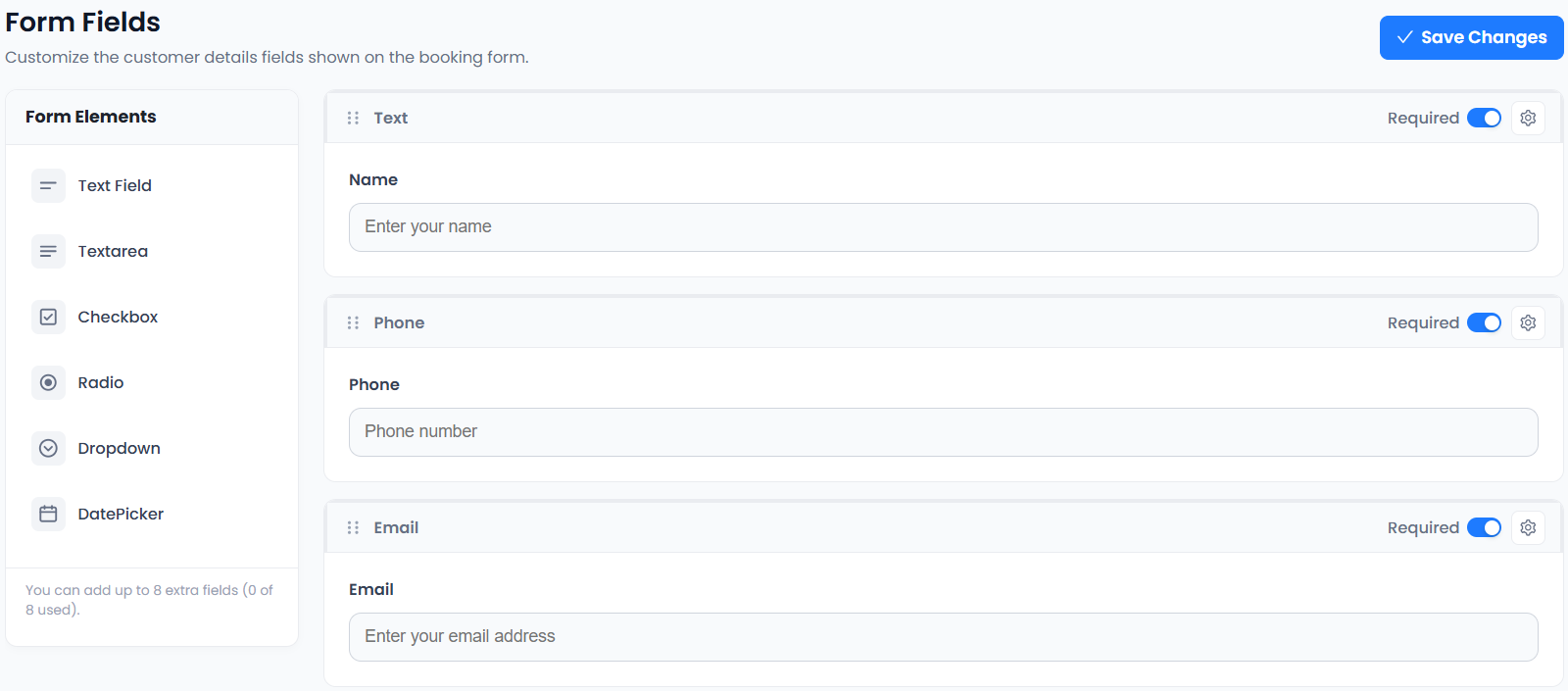
Useful initial questions can include the property type, approximate size and whether the enquiry concerns regular cleaning, a one-off visit or another service. Mark examples clearly and ask only for information needed to arrange the estimate.
Avoid collecting door codes or sensitive access details in a public booking form. Request further information through an appropriate business process if needed. Accurate Scheduler includes custom fields on Free and paid plans. Use the form checklist to keep cleaning estimate booking focused.
4. Set a realistic visit duration and gap
Choose a duration that reflects your actual estimate process. Allow preparation and a fixed gap if you need time between visits. A fixed buffer is not route planning and cannot account for changing traffic or an unexpected delay at a property.
In cleaning estimate booking, test a morning visit, a later visit and one close to closing time. Accurate Scheduler includes buffer time, shifts and holidays on every plan. Follow the buffer-time guide, and plan journeys separately if the service takes place at customer premises.
5. Separate estimate fees from job payments
If you charge for an estimate, explain that fee before confirmation and state what it covers. Do not present an estimate appointment payment as the full cleaning contract or assume it will automatically be deducted from a later invoice.
Cleaning estimate booking can use supported appointment-payment options, but the business must verify the provider and collection method. Stripe and PayPal integrations are included in Accurate Scheduler Free and paid plans; provider charges and regional eligibility apply. Review the payments guide.
6. Confirm the visit and explain changes
A confirmation should identify the business, visit purpose, date, time and location or meeting information. For US and European customers, avoid ambiguous dates and use the actual local business timezone. Ask customers how to contact you if the property or requested work changes.
Customer cancellation and rescheduling are included in Free and paid plans. Moving an estimate does not automatically change a separate work agreement or reverse a payment. Check the appointment and provider records independently. Use the message examples to review the wording used after cleaning estimate booking.
7. Test the enquiry-to-estimate handover
Complete a clearly marked test using your own contact details. Check whether the saved record gives the staff member enough context for the estimate. Review the outcome manually: a suitable enquiry, attended estimate, quotation and accepted job are different stages.
Competitor feature pages such as Picktime’s describe appointment and team tools, while SuperSaaS lists flexible scheduling. Do not infer route dispatch from those labels. Explore cleaning-service workflows and test cleaning estimate booking before replacing an existing customer route.