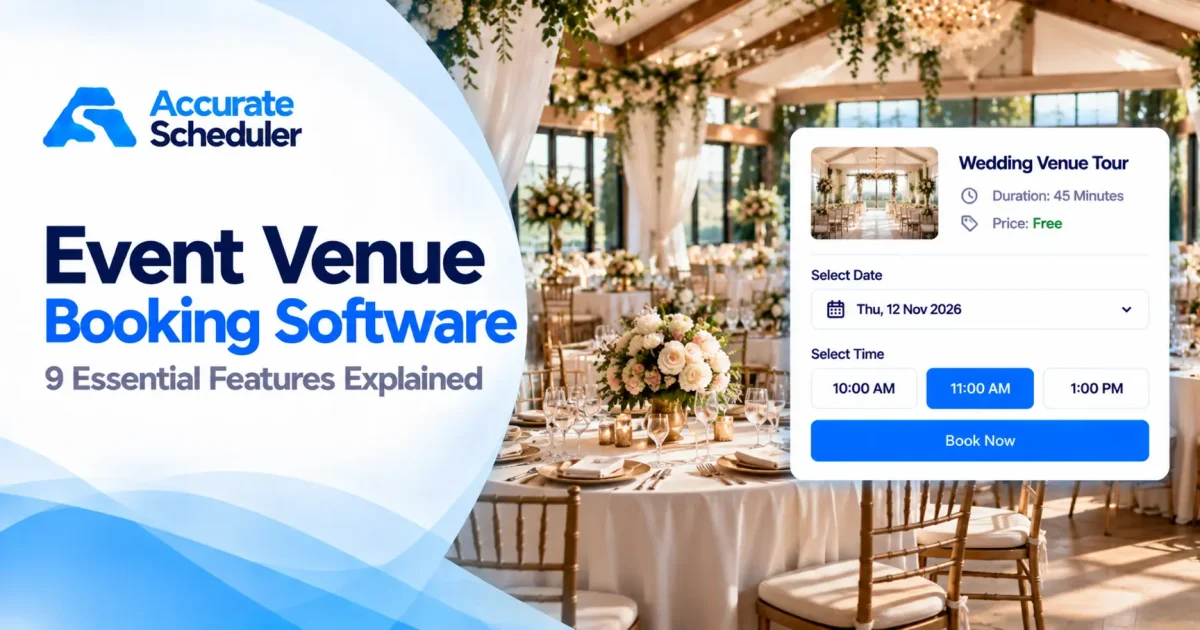
Event venue booking software can help venue owners organize inquiries, schedule property tours, accept reservations, and manage advance payments.
Whether you operate a wedding venue, banquet hall, private event space, photography studio, or conference facility, managing customer bookings requires careful planning.
A potential customer may want to tour your venue on Saturday. Another may request a wedding date six months in advance. Meanwhile, your team needs to coordinate staff availability, payment terms, and event preparation.
Managing these activities through phone calls, spreadsheets, and separate calendars can become difficult.
The right event venue booking software can simplify parts of this process, but not every platform provides complete venue rental management.
Some solutions specialize in appointment scheduling and customer consultations. Others include event contracts, resource allocation, floor plans, and complex venue operations.
In this guide, we’ll explore nine important features, explain how venue booking deposits work, and show how Accurate Scheduler may support suitable appointment-based venue workflows.
Table of Contents
- What Is Event Venue Booking Software?
- Why Event Venues Need Online Booking
- Nine Essential Event Venue Booking Software Features
- Venue Booking Deposits Explained
- Appointment Scheduling vs Venue Management Software
- How to Use Accurate Scheduler for Venue Appointments
- Common Venue Booking Mistakes
- Frequently Asked Questions
- Final Thoughts
What Is Event Venue Booking Software?
Event venue booking software is a digital solution used to organize reservations, customer appointments, and related activities for event spaces.
Depending on the platform, it may provide:
- Online venue inquiries and appointments
- Availability calendars
- Customer information
- Venue tour scheduling
- Booking deposits
- Payment tracking
- Staff availability
- Cancellation and rescheduling options
- Event agreements
- Venue resource management
These features are not universal.
For example, a venue owner may need customers to book a 30-minute property tour before discussing an event reservation.
An appointment scheduling platform can be suitable for that requirement.
However, confirming an exclusive three-day wedding venue rental requires reliable date blocking and resource allocation.
That is a different operational problem.
Understanding these requirements helps businesses avoid selecting software that cannot support their booking process.
Why Event Venues Need Online Booking
Customers often research multiple venues before making a decision.
They may want to compare available dates, arrange a property visit, ask questions, or discuss pricing with a venue coordinator.
If every appointment must be arranged manually, staff may spend unnecessary time coordinating calendars.
Common Venue Booking Challenges
- Scheduling property tours
- Managing customer inquiries
- Avoiding overlapping appointments
- Coordinating venue coordinators
- Explaining deposit requirements
- Tracking outstanding payments
- Handling cancellation requests
- Managing event preparation
An online booking system can make appointment scheduling more convenient.
Customers can choose an available consultation or tour time without repeatedly contacting the business.
For complete event reservations, however, the software must also support the venue’s actual rental and availability requirements.
9 Essential Event Venue Booking Software Features
1. Online Venue Tour and Consultation Booking
One of the most practical uses of event venue booking software is allowing prospective customers to schedule venue visits.
For example, a couple planning a wedding may want to visit three venues before choosing one.
Instead of exchanging several emails, they can select an available tour time online.
Example Venue Services
| Service | Example duration |
|---|---|
| Wedding Venue Tour | 45 minutes |
| Event Planning Consultation | 30 minutes |
| Corporate Event Inquiry | 30 minutes |
| Banquet Hall Viewing | 60 minutes |
These are illustrative service durations.
A booking page should clearly explain the appointment purpose, duration, location, and any applicable fee.
How Accurate Scheduler Fits
Accurate Scheduler provides configurable services and hosted booking pages.
These capabilities can support venue tours, consultations, and other appointment-based interactions.
For a venue owner, this may be a practical starting point before investing in more specialized event management software.
2. Accurate Venue and Staff Availability
Availability is one of the most important considerations for event venues.
However, staff availability and venue availability are not necessarily the same.
A coordinator might be available to conduct a tour while the event hall itself is reserved for another event.
Similarly, two staff members might be available for consultations even though only one physical event space exists.
What Venue Owners Should Verify
- Individual room or venue availability
- Overlapping event prevention
- Staff availability
- Preparation and cleanup periods
- Multi-day reservations
- Maintenance or closure dates
A standard appointment calendar should not be assumed to prevent conflicting reservations for a physical venue.
For venue tours, staff-based scheduling may be sufficient.
For confirmed event rentals, venue-specific resource allocation is essential.
3. Booking Deposits and Advance Payments
Deposits are particularly relevant for high-value event reservations.
A venue may need to reserve a date, allocate staff, and prepare for an event well in advance.
A booking deposit can provide an upfront payment toward the agreed service price.
Example: Wedding Venue Reservation
| Payment detail | Amount |
|---|---|
| Total venue price | $3,000 |
| Booking deposit | $750 |
| Remaining balance | $2,250 |
In this example, the customer pays $750 upfront.
The remaining $2,250 is payable according to the venue agreement.
The figures are illustrative and do not represent a recommended deposit rate.
Fixed vs Percentage Deposits
A fixed deposit uses a specific amount, such as $200.
A percentage deposit is calculated from the applicable booking total.
For example, a 25% deposit on a $3,000 booking equals $750.
Venue owners should choose a deposit structure that fits their pricing, preparation costs, cancellation risks, and applicable laws.
Accurate Scheduler Deposit Payments
Accurate Scheduler includes a Deposit Payment feature for supported appointment bookings.
Its documented functionality includes fixed and percentage-based deposits, partial payments, and eligible remaining-balance collection.
These capabilities may help businesses collect advance payments for suitable booking services.
However, accepting a deposit does not automatically guarantee that a physical venue has been reserved without conflicts.
4. Booking Deposits vs Security Deposits
Venue businesses may use both booking deposits and security deposits.
Although the names sound similar, the payments generally serve different purposes.
A booking deposit usually contributes toward the total venue price.
A security deposit is typically a separate guarantee against specified risks under the agreement.
Example
| Payment type | Amount |
|---|---|
| Venue rental price | $2,000 |
| Booking deposit | $500 |
| Remaining rental balance | $1,500 |
| Separate security deposit | $400 |
The $500 booking deposit reduces the rental balance.
The separate $400 security deposit generally does not reduce the $1,500 remaining balance.
Security deposits may be collected as refundable payments or processed through compatible card authorization holds.
These methods have different provider requirements.
Before offering authorization holds, verify the supported payment gateway, authorization period, capture rules, and release process.
Related article: Booking Deposit vs Security Deposit: 7 Key Differences Explained.
5. Flexible Booking Durations
Event venues often need different scheduling durations.
A venue tour may last 30 minutes, while an actual event may occupy the property for several hours or multiple days.
Example Booking Types
| Booking type | Example duration |
|---|---|
| Venue Tour | 30 minutes |
| Planning Consultation | 1 hour |
| Birthday Event | 4 hours |
| Corporate Conference | 1 day |
| Wedding Celebration | 2 days |
These examples illustrate different scheduling requirements.
When comparing platforms, verify support for:
- Short appointments
- Full-day reservations
- Multi-day bookings
- Preparation periods
- Cleanup periods
- Date-specific availability
Accurate Scheduler supports appointment and day-based scheduling capabilities, but venue-specific date allocation and complex event rental workflows must be verified separately.
6. Customer Information and Booking Requirements
Venue operators need accurate customer information to organize appointments and event discussions.
For example, a wedding consultation may require more information than a standard service appointment.
Useful details may include:
- Customer name
- Email address
- Phone number
- Event type
- Preferred event date
- Estimated guest count
- Requested venue or room
- Additional questions
Collecting relevant information before a consultation helps staff prepare.
However, businesses should avoid requesting unnecessary personal information.
A venue booking platform may also need support for contracts, event requirements, and document signing.
These capabilities should not be assumed to exist in a general appointment scheduling platform.
7. Staff and Event Coordinator Scheduling
Many venues employ coordinators, sales representatives, and support staff.
Their availability can affect when customers can book consultations.
For example, a venue may have two coordinators who conduct property tours.
If one coordinator is unavailable, the system should show suitable appointment times based on the configured schedules.
Useful Staff Scheduling Features
- Individual working hours
- Staff shifts
- Holiday management
- Service assignments
- Unavailable periods
- Appointment calendar management
Accurate Scheduler includes staff scheduling, shifts, and holiday management.
These capabilities can help venue businesses organize consultations and property tours.
For complete event operations, additional staffing and resource management may be required.
8. Mobile-Friendly Online Booking
Many prospective customers research venues on smartphones.
They may discover a venue through Google Search, social media, or a recommendation.
A mobile-friendly booking page should allow them to schedule a tour without navigating a complicated interface.
Mobile Booking Checklist
- Clear service descriptions
- Readable prices
- Simple date selection
- Accessible appointment times
- Easy-to-complete forms
- Visible payment details
- Clear booking conditions
For example, a couple exploring wedding venues may find your website while traveling.
They can review your venue tour options and schedule an available appointment from their phones.
Accurate Scheduler provides mobile-friendly booking pages for supported appointment workflows.
Before publishing, test the entire customer booking experience on a mobile device.
9. Remaining Balance and Payment Tracking
Event businesses may collect payments in stages.
A customer might pay an initial deposit and settle the remaining balance closer to the appointment or event date.
A payment tracking workflow helps businesses understand how much has already been collected.
Example Payment Schedule
| Payment stage | Amount |
|---|---|
| Total service price | $1,200 |
| Initial deposit | $300 |
| Remaining balance | $900 |
| Final payment received | $900 |
| Outstanding balance | $0 |
A useful system should distinguish partially paid bookings from fully paid bookings.
Accurate Scheduler’s documented Deposit Payment workflows include eligible remaining-payment links, customer balance payments, and recording supported cash payments.
The available methods depend on the configured gateway and booking settings.
For more information, see the Accurate Scheduler Appointment Deposit Payments guide.
Venue Booking Deposits: How Much Should You Charge?
There is no universal booking deposit amount for every venue.
The appropriate amount depends on the business model, total price, cancellation terms, preparation costs, and applicable law.
Fixed Deposit Example
A venue charges a fixed $250 deposit to reserve a qualifying service.
This approach can be straightforward when prices are similar.
Percentage Deposit Example
A venue requests 20% of the applicable booking total.
For a $2,500 booking:
- Total price: $2,500
- Deposit percentage: 20%
- Deposit amount: $500
- Remaining balance: $2,000
Percentage-based deposits can adjust automatically when booking prices vary, provided the payment system supports the required calculation.
Deposit Policy Best Practices
Clearly explain whether the deposit is refundable, when remaining payments are due, and how cancellations are handled.
Avoid assuming that calling a payment non-refundable automatically makes every refund restriction legally enforceable.
For more information about consumer protection and advertising practices in the United States, consult the Federal Trade Commission.
Event Venue Booking Software vs Complete Venue Management Software
Different venue businesses need different levels of functionality.
| Capability | Appointment Scheduling Software | Dedicated Venue Management Software |
|---|---|---|
| Online consultation booking | Common | Common |
| Venue tour scheduling | Common | Often available |
| Staff availability | Common | Varies |
| Booking deposits | Depends on platform | Often available |
| Individual venue allocation | Must verify | Typically important |
| Event contracts | Depends on platform | Often available |
| Floor plans and layouts | Not usually standard | May be available |
| Multi-day event operations | Must verify | Often supported |
| Event resource management | Must verify | Often available |
| Customer payment tracking | Depends on platform | Often available |
This is a general category comparison, not a guarantee of any individual product’s features.
When Appointment Scheduling Software May Be Enough
General scheduling software may be suitable for:
- Wedding venue tours
- Banquet hall consultations
- Event planning appointments
- Photography studio consultations
- Corporate event inquiry meetings
These workflows are primarily appointment-based.
When Dedicated Venue Software Is Better
Specialized venue management software may be necessary when a business requires:
- Multiple event halls or rooms
- Complex venue availability
- Exclusive event date reservations
- Event contracts
- Floor plan management
- Catering and vendor coordination
- Event resource allocation
- Detailed multi-day event operations
Selecting software based on your actual requirements is more important than choosing a platform with the longest feature list.
How to Use Accurate Scheduler for Venue Appointments
Accurate Scheduler is an online appointment scheduling platform with hosted booking pages, configurable services, staff scheduling, and deposit payment functionality.
It may be useful for venue tours and customer consultations.
Step 1: Create Your Venue Services
Sign in to your Accurate Scheduler dashboard.
Create appointment services such as:
- Wedding Venue Tour
- Banquet Hall Consultation
- Event Planning Meeting
- Corporate Event Inquiry
Add appropriate service descriptions and durations.
Step 2: Configure Staff Availability
Assign the relevant coordinator or staff member.
Set their working hours and unavailable periods.
Step 3: Configure Deposit Payments if Needed
If you charge for a consultation or other eligible booking, activate the Deposit Payment feature.
Open the relevant service and configure its deposit options.
Choose a supported fixed or percentage-based deposit.
Step 4: Configure Payment Methods
Review the available gateways under Settings → Payments.
Configure the selected method and test the checkout process.
Step 5: Publish Your Booking Page
Share the hosted booking page or embed a supported booking widget on your website.
Step 6: Test the Customer Experience
Complete a test appointment and confirm:
- Correct service
- Available appointment time
- Staff assignment
- Booking price
- Deposit amount
- Payment status
Step 7: Verify Venue-Specific Requirements
If you want customers to reserve an actual event hall, verify that the system supports exclusive venue allocation and the required rental workflow.
Do not rely on a general appointment calendar to manage physical venue inventory without confirming the configuration.
Explore Accurate Scheduler to learn more about its appointment booking capabilities.
Common Event Venue Booking Mistakes to Avoid
1. Confusing Venue Tours With Venue Reservations
A tour appointment does not automatically reserve the venue for a future event.
Clearly distinguish the two services.
2. Accepting Conflicting Event Dates
Use reliable venue availability controls before confirming exclusive rentals.
3. Not Explaining Deposit Terms
Customers should understand the payment amount, remaining balance, and applicable cancellation conditions.
4. Forgetting Setup and Cleanup Time
Venue preparation may require significant time before and after an event.
5. Collecting Too Much Customer Information
Ask for information relevant to the appointment or event requirements.
6. Using Software Without Testing Payments
Verify deposits, payment statuses, and remaining-balance collection before accepting live bookings.
7. Assuming Every Booking Tool Manages Complete Events
Scheduling appointments is different from managing contracts, venue resources, and event operations.
Frequently Asked Questions
What is event venue booking software?
Event venue booking software helps businesses organize venue-related appointments and reservations. Depending on the platform, it may include online booking, availability, deposits, customer records, and event management.
What is the best event venue booking software?
The best solution depends on your venue size, booking workflow, staff requirements, payment needs, and whether you require complete event management.
Can customers book venue tours online?
Yes. Appointment scheduling software can allow customers to select available venue tour or consultation times online.
Can event venues collect booking deposits?
Yes. A compatible booking and payment system can support advance deposit payments for eligible services or reservations.
What is the difference between a booking deposit and a security deposit?
A booking deposit generally contributes toward the service or rental price. A security deposit is usually a separate guarantee against specified risks.
How much should a venue booking deposit be?
There is no universal amount. Consider the total booking price, preparation costs, cancellation risk, customer expectations, and applicable laws.
Can Accurate Scheduler be used for event venue bookings?
Accurate Scheduler can support suitable venue tours, consultations, and appointment-based workflows. Complete venue rental allocation and event management require separate capability verification.
Does Accurate Scheduler support deposit payments?
Yes. Accurate Scheduler includes configurable deposit payment functionality for supported appointment bookings.
Can customers pay the remaining balance later?
Accurate Scheduler documents eligible remaining-balance payment workflows through supported payment methods.
Is appointment scheduling software enough for a wedding venue?
It may be sufficient for venue tours and consultations. Managing confirmed wedding dates, contracts, and complex event operations may require specialized venue management software.
Final Thoughts: Choosing Event Venue Booking Software
Choosing the right event venue booking software depends on the services your business offers and the complexity of your operations.
For venue tours and customer consultations, online appointment scheduling can make booking more convenient.
For complete event rentals, businesses may also require venue availability controls, contracts, resource management, and detailed event planning workflows.
Accurate Scheduler provides hosted booking pages, staff scheduling, and deposit payment functionality that can support suitable appointment-based venue services.
Want to make venue tours and customer consultations easier to book?
Discover how online scheduling and configurable deposit payments can help organize your customer appointments.