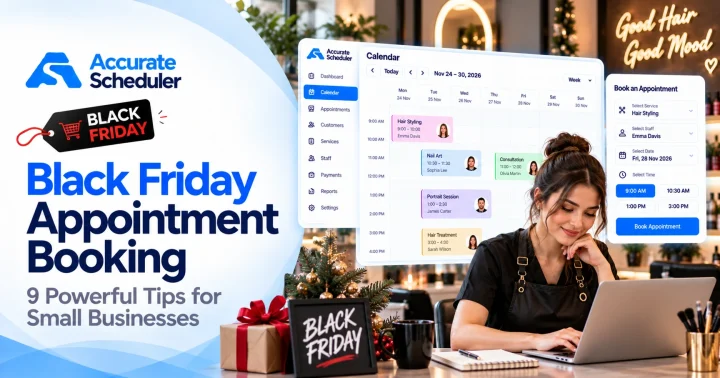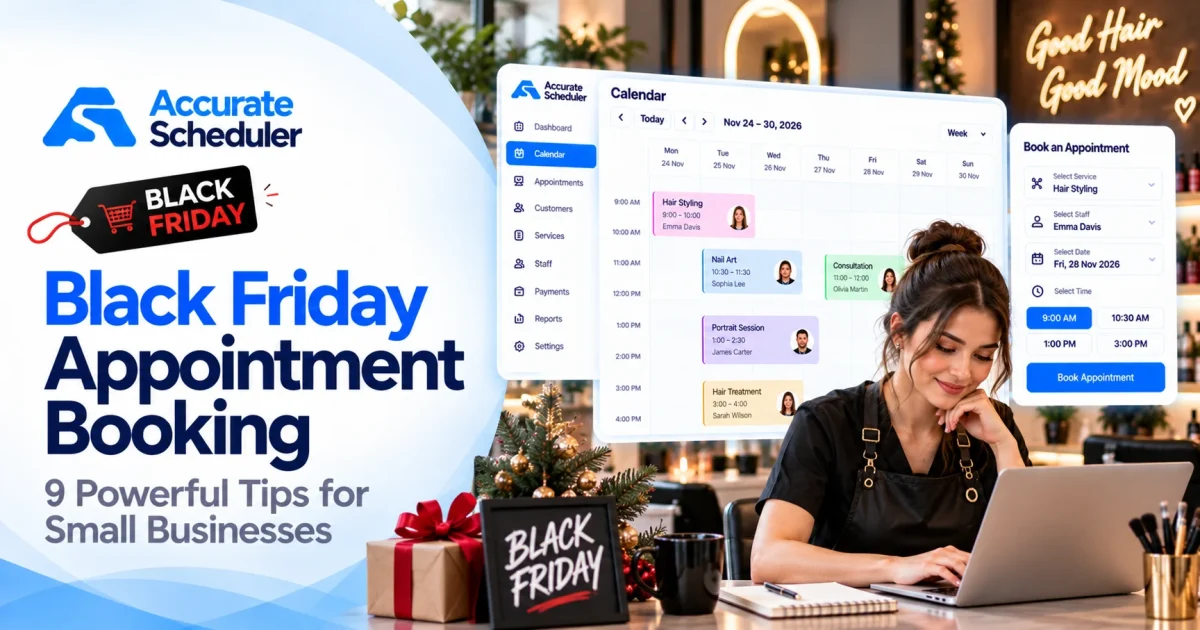
Black Friday is one of the biggest promotional shopping events of the year. While many people associate it with online stores and retail discounts, service-based businesses can also use the occasion to attract customers and encourage appointment bookings.
From beauty salons and barbershops to fitness studios, photographers, and consultants, businesses can create seasonal offers that give customers a reason to book.
However, a successful Black Friday campaign requires more than offering discounts.
You need clear promotions, accurate appointment availability, an easy booking experience, and a way to evaluate the results.
In this guide, we’ll explore 9 Black Friday appointment booking strategies to help small businesses promote their services, organize their schedules, and turn seasonal interest into real appointments.
What Is Black Friday Appointment Booking?
Black Friday appointment booking refers to promoting and accepting reservations for services through Black Friday campaigns.
Instead of selling only physical products, appointment-based businesses can offer seasonal service packages, limited-time prices, or advance booking opportunities.
For example, a photography studio might offer discounted family portrait sessions, while a fitness trainer could introduce a special introductory consultation.
Customers can review the offer and book an available appointment online.
The service itself does not necessarily need to take place on Black Friday. Businesses can promote reservations for future appointments, provided the offer conditions are clearly explained.
Why Black Friday Matters for Service Businesses
Black Friday creates a recognizable promotional occasion that many customers already associate with special offers.
For service businesses, it can provide an opportunity to:
- Introduce services to new customers.
- Encourage existing customers to try additional treatments.
- Promote appointments during quieter periods.
- Sell clearly defined seasonal service packages.
- Increase visibility through promotional content.
- Generate reservations for upcoming weeks.
But Black Friday discounts are not automatically profitable.
The most effective campaigns balance customer value, available staff capacity, and business costs.
Before planning your campaign, identify which services you can realistically promote and how many appointments your team can fulfill.
1. Create Attractive Black Friday Service Packages
One of the most practical Black Friday appointment booking strategies is to offer a small selection of service packages.
Instead of applying a discount to everything, choose services that customers understand and that your team can deliver profitably.
Example Black Friday Service Promotions
| Business | Example Promotion |
|---|---|
| Hair Salon | Haircut and styling package |
| Nail Studio | Gel manicure with selected nail art |
| Barbershop | Haircut and beard grooming package |
| Photography Studio | Family portrait mini session |
| Fitness Trainer | Introductory personal training session |
| Spa | Selected relaxation treatment package |
| Consultant | Fixed-duration introductory consultation |
These are illustrative promotions, not existing Accurate Scheduler offers.
How to Structure Your Package
Every service package should clearly explain:
- What is included.
- The appointment duration.
- The promotional price.
- Which dates are eligible.
- Whether any restrictions apply.
- How the customer can book.
For example:
Black Friday Family Portrait Special
A 30-minute family photography session at a clearly stated promotional price, available for selected dates in December.
A specific offer is easier to understand than a generic message such as “Huge Black Friday Savings.”
2. Start Promoting Before Black Friday
Black Friday campaigns work better when customers have time to discover and evaluate your services.
Waiting until the morning of Black Friday may leave too little time for customers to plan appointments.
Suggested Campaign Schedule
| Period | Recommended Activity |
|---|---|
| Late October | Choose services and calculate promotional prices |
| Early November | Prepare booking pages and campaign content |
| Mid-November | Introduce upcoming Black Friday offers |
| Black Friday week | Promote offers and available appointments |
| November 27 | Run the main Black Friday promotion |
| Following days | Review bookings and any planned Cyber Monday campaign |
The schedule should reflect your audience and business capacity.
For example, a photography studio may need additional preparation time for holiday portrait sessions, while a barbershop may focus on available appointments over a shorter period.
Tip: Prepare your online booking process before launching promotional posts. Customers should not discover an attractive offer only to find that they cannot reserve it.
3. Make Online Appointment Booking Easy
A promotional campaign can attract attention, but a complicated booking process may discourage customers from completing their reservations.
Customers should be able to understand the offer, choose an available appointment, and finish booking without unnecessary steps.
Essential Booking Page Features
- Clear service names.
- Accurate promotional pricing.
- Appropriate service durations.
- Available dates and times.
- Staff selection where relevant.
- Mobile-friendly booking forms.
- Clear cancellation conditions.
For example, a customer interested in a Black Friday manicure promotion should be able to select the service and review availability directly.
Accurate Scheduler provides hosted booking pages, configurable services, and appointment calendar management.
Learn more about Accurate Scheduler features.
An organized booking experience can support Black Friday appointment booking campaigns without requiring businesses to manage every reservation manually.
4. Promote Offers Through Social Media
Social media can help businesses showcase their Black Friday promotions and direct interested customers to booking pages.
Instagram, Facebook, LinkedIn, and other channels may be appropriate depending on your target audience.
Black Friday Social Media Content Ideas
Service showcase
Demonstrate the treatment or service included in your promotion.
Before-and-after examples
Show actual completed work, with permission.
Team introductions
Highlight the professionals delivering the promotional services.
Offer explanation
Publish a short video explaining what’s included, the price, and eligible dates.
Appointment availability
Share genuine remaining availability when relevant.
Example Social Media Caption
“Black Friday is coming! 🖤
We’re introducing selected appointment offers for a limited promotional period.
Explore our available services, choose your preferred appointment, and book online.
Check the booking link for current availability and offer details.”
Avoid advertising discounts without clearly explaining the conditions.
A strong Black Friday appointment booking campaign connects promotional content to a straightforward reservation process.
5. Use Limited-Time Offers Responsibly
Black Friday is naturally associated with time-limited promotions.
However, businesses should avoid misleading countdowns or false availability claims.
If an offer ends on a particular date, state that date clearly.
If a limited number of appointments is available, make sure the restriction is genuine.
Example Offer
Black Friday Photography Mini Sessions
- Promotional booking period: November 27 to November 30.
- Eligible appointments: Selected December dates.
- Session duration: 30 minutes.
- Limited to actual available photographer slots.
- Conditions displayed before booking.
This approach helps customers understand the promotion without relying on exaggerated urgency.
Avoid These Mistakes
- Advertising an unverified number of remaining appointments.
- Increasing prices immediately before announcing a misleading discount.
- Hiding important offer restrictions.
- Offering appointments that staff cannot fulfill.
- Continuing to display expired promotions as active.
Clear conditions help customers make informed decisions.
6. Promote Appointments During Quieter Hours
Not every appointment slot has equal demand.
Some businesses are busiest on weekends, while weekday afternoons remain less popular.
Black Friday promotions can provide an opportunity to promote suitable services during quieter periods.
Example
A beauty salon regularly has available appointments on Tuesday afternoons.
Instead of discounting Saturday services that already sell well, the salon creates a weekday-only manicure offer.
This can encourage customers to consider appointments that might otherwise remain unbooked.
How to Plan
- Review your existing appointment calendar.
- Identify quieter days or periods.
- Choose appropriate services.
- Calculate a sustainable promotional price.
- Configure eligible availability.
- Promote the offer with a direct booking link.
Accurate Scheduler supports staff schedules, holidays, and service management.
Where specific promotional pricing rules are required, confirm that your selected plan or add-on supports the intended configuration.
7. Prepare Staff Schedules for Promotional Demand
More bookings are useful only when your team can deliver the services properly.
Incorrect appointment durations and overlapping availability can create scheduling problems.
Example Service Schedule
| Service | Duration | Preparation Time |
|---|---|---|
| Haircut and Styling | 60 minutes | 10 minutes |
| Gel Manicure | 45 minutes | 10 minutes |
| Photography Mini Session | 30 minutes | 15 minutes |
| Personal Training Consultation | 45 minutes | 10 minutes |
These are illustrative scheduling estimates.
If a service takes 60 minutes and requires 10 minutes of preparation afterward, your schedule needs to account for both.
Scheduling Checklist
- Verify staff working hours.
- Confirm service assignments.
- Check holidays and unavailable periods.
- Use realistic service durations.
- Allow necessary preparation time.
- Test availability before publishing the promotion.
Accurate Scheduler provides individual staff scheduling, shifts, and holiday management. Buffer time is included in Free and paid plans.
For additional guidance, read How to Prevent Double Bookings.
8. Make Your Black Friday Booking Experience Mobile-Friendly
Customers may discover your promotion through a social media post, mobile search, or shared link.
If the booking page is difficult to use on a smartphone, interested visitors may leave before completing the process.
Mobile Booking Checklist
- Service descriptions are readable.
- Promotional prices are easy to understand.
- Available dates are visible.
- Time slots are easy to select.
- Booking forms are reasonably short.
- Buttons are easy to tap.
- The reservation process works correctly.
Test the booking process on a real mobile device before launching the campaign.
Example
Ask someone unfamiliar with your business to book a sample appointment.
Observe whether they can identify the correct promotional service and complete the reservation without instructions.
If they struggle, simplify the page or service descriptions.
Mobile usability is an important part of a practical Black Friday appointment booking strategy.
9. Measure Bookings, Revenue, and Profitability
A successful campaign should generate meaningful business results, not just social media engagement.
After Black Friday, review your performance.
Metrics Worth Tracking
| Metric | What It Tells You |
|---|---|
| Completed bookings | Number of reservations generated |
| Booking page visits | Interest in your offer |
| Booking conversion rate | Percentage of visitors completing bookings |
| Revenue | Sales associated with the campaign |
| Promotion costs | Discounts and marketing expenses |
| Service profitability | Whether offers produced worthwhile returns |
| Repeat appointments | Whether customers returned later |
Example Conversion Calculation
Suppose 300 visitors open your booking page and 24 complete appointments.
Booking conversion rate = (24 ÷ 300) × 100 = 8%
This is an illustrative example, not an industry benchmark.
Example Profitability Check
A business normally charges $80 for a service and offers it for $65 during Black Friday.
If the direct service cost is $40:
- Promotional selling price: $65.
- Direct service cost: $40.
- Contribution before overhead and marketing: $25.
The promotion may still be worthwhile, but the business should evaluate staff capacity, overhead, and marketing expenses before drawing conclusions.
Use booking records alongside your payment and analytics data to measure actual results.
Black Friday Booking Ideas by Business Type
Different businesses should choose promotions that match their customers and operational needs.
Beauty Salons
Offer clearly defined hairstyling, manicure, or selected beauty packages.
For additional ideas, read Black Friday Salon Marketing Ideas.
Barbershops
Promote haircut and beard grooming combinations or selected weekday services.
Photography Studios
Offer short portrait sessions with fixed durations and clearly defined deliverables.
Fitness Professionals
Promote introductory training consultations or assessment appointments.
Yoga Studios
Offer introductory sessions or private yoga consultations that customers can schedule online.
Consultants
Promote fixed-duration discovery sessions or clearly scoped professional services.
The right offer depends on your business model, target customers, and available capacity.
How to Set Up Black Friday Appointment Booking With Accurate Scheduler
Accurate Scheduler can help service businesses organize appointment types, staff availability, and customer reservations.
Step 1: Create Your Promotional Service
Add a clearly named appointment service such as “Black Friday Portrait Session” or “Black Friday Manicure Special.”
Configure its duration and price.
Step 2: Assign Staff Members
Choose which team members can provide the promotional service.
Step 3: Configure Availability
Review working hours, holidays, and eligible booking dates.
Step 4: Review Payment and Cancellation Settings
Confirm the available payment methods, cancellation options, and any relevant scheduling rules.
Step 5: Test the Booking Process
Complete a test appointment on a mobile device.
Verify that the correct service, price, staff member, date, and time appear.
Step 6: Share Your Booking Link
Add the link to your website, social media posts, business profiles, and promotional materials.
Step 7: End the Promotion Correctly
After the promotional period, update or deactivate the seasonal service as appropriate.
Check that expired pricing is no longer presented as an active offer.
Step 8: Review Results
Compare reservations, revenue, and promotion costs to evaluate campaign performance.
Explore Accurate Scheduler to learn more about online appointment booking.
Common Black Friday Appointment Booking Mistakes
Offering Discounts Without Calculating Costs
A promotion that increases bookings but loses money may not be sustainable.
Creating Confusing Service Packages
Use clear names, durations, prices, and conditions.
Forgetting Staff Availability
Check working hours before promoting appointments.
Making Customers Contact You to Book
Where practical, provide a direct online reservation option.
Ignoring Mobile Customers
Test the entire booking process on smartphones.
Creating False Urgency
Use genuine deadlines and accurate appointment availability.
Forgetting to Remove Expired Offers
Update seasonal services and promotional content after the campaign ends.
Measuring Only Website Traffic
Evaluate completed bookings and profitability rather than visits alone.
Frequently Asked Questions About Black Friday Appointment Booking
What is Black Friday appointment booking?
Black Friday appointment booking involves promoting and accepting reservations for services through Black Friday offers, packages, or seasonal campaigns.
Can service businesses participate in Black Friday?
Yes. Salons, barbershops, fitness professionals, photographers, consultants, and other appointment-based businesses can create suitable promotions.
When should I start promoting Black Friday appointments?
Preparing several weeks in advance gives businesses time to organize services, configure availability, and publish promotional content.
Do Black Friday appointments have to take place on Black Friday?
No. Businesses can accept promotional bookings during Black Friday for appointments on future dates, provided the conditions are clear.
Is offering a discount necessary?
No. Seasonal packages, introductory services, and other clearly defined offers can also attract customers.
How can I avoid double bookings during Black Friday?
Use accurate staff availability, realistic service durations, and an organized appointment calendar.
Can customers book Black Friday services online?
Yes. Accurate Scheduler provides online booking pages where customers can select configured services and available appointments.
Is free appointment booking software available?
Yes. Accurate Scheduler offers a Free plan with online booking, unlimited staff members, and unlimited services, subject to applicable booking limits.
Can I accept payments for Black Friday appointments?
Accurate Scheduler supports PayPal and Stripe integrations according to the relevant plan. Verify any special discount, deposit, or pricing requirements before launching your promotion.
Final Thoughts: Make Black Friday Appointments Easier to Book
A successful Black Friday appointment booking campaign combines useful service offers, accurate scheduling, and a convenient customer experience.
Start by choosing profitable promotions, preparing staff availability, and making your booking link easy to access.
Promote your offers through relevant channels, communicate genuine deadlines, and track completed appointments rather than focusing only on clicks or social media engagement.
Accurate Scheduler provides online booking, configurable services, staff scheduling, and mobile-friendly booking pages for appointment-based businesses.
Ready to prepare your Black Friday booking campaign?
Explore Accurate Scheduler Features or Compare Free and Paid Plans.
Create your promotional services, organize your availability, and make it easy for customers to reserve their appointments.